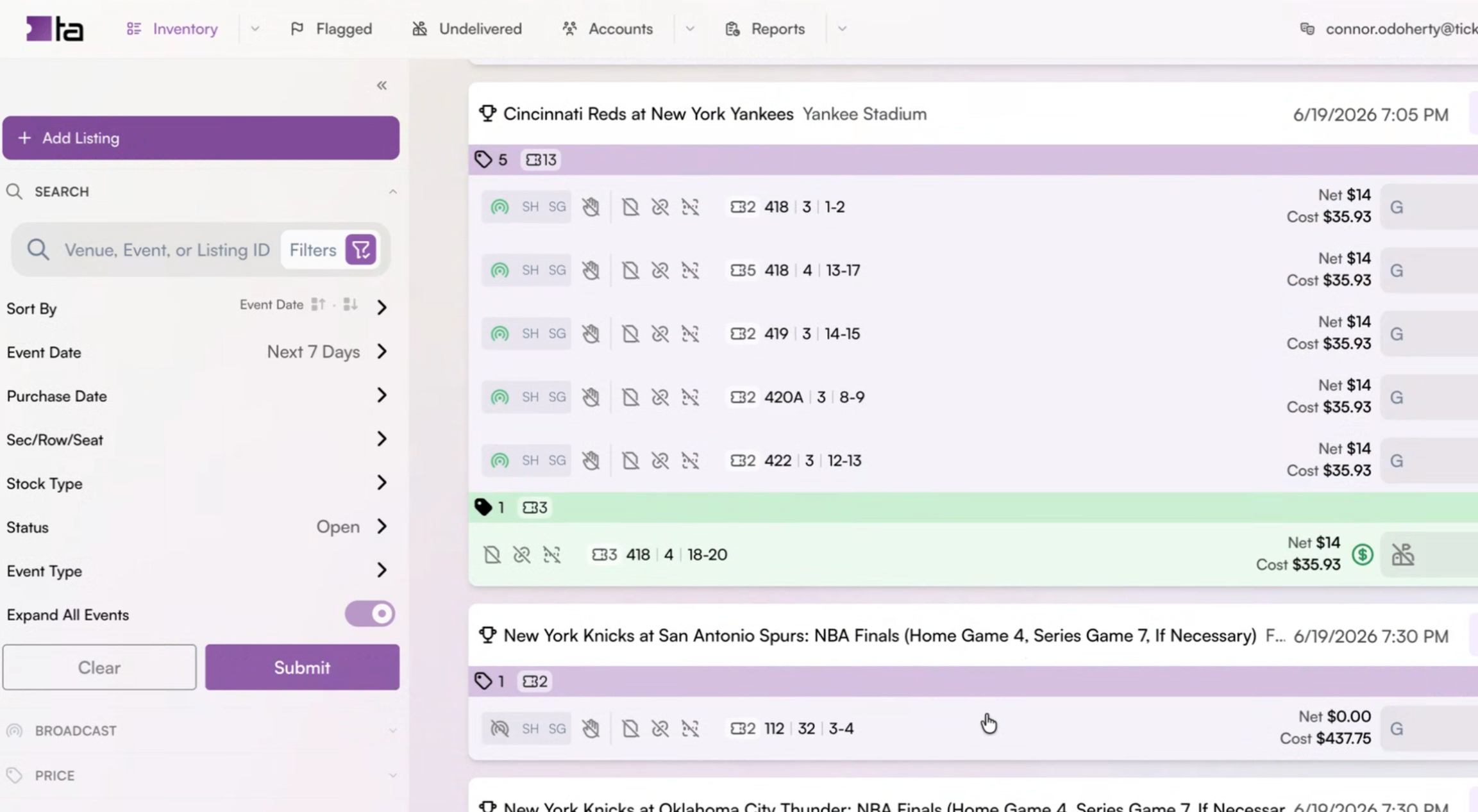
“Concourse” Mobile and Desktop Software: We gave them simplicity, they wanted complexity.
Ticket brokers are data-driven, profit-driven, and fast-moving. Our job was to make them a faster platform that they love and trust.
We began our project by assessing the old tool, Terminal. Clients’ two biggest complaints were performance, and UI.
In order to make a performant tool, we needed a new back-end. The old one wouldn’t cut it. Therefore, we determined the best move was to rebuild from the ground up
Deciding to create “Concourse” to replace “Terminal”
What is the state of the existing system, “Terminal”?
1
Major pain points identified were: it’s slow, it’s cumbersome, the UI is outdated. We needed to figure out how to make it load faster, what architectural changes could be made to improve workflow efficiencies, and how to improve the look and feel of the UI so clients would be satisfied.
Couldn’t we just improve “Terminal”? Why make a whole new tool?
2
Once we assessed the back end with our developers, we realized in order to make the performance improvements necessary, we’d be better off creating a whole new tool. We could architect it how we wanted and start from scratch. A bigger effort, but in this case, worth it. This tool, while it technically got the job done, had notoriously long load times. It was like a house that had additions upon additions added on; every request a client made resulted in a new page added on. With a new product, we could design an intentional tool from scratch, keeping or combining the most essential pages giving the user all that they needed when and where they needed it.
What stays, what goes?
3
Interviewing clients, execs, and operations taught us all we needed to know about the workflows required to buy and sell tickets through consignment. We realized many pages within “Terminal” were only slightly different from one another with some overlap in function and could easily be combined. There were 3 separate pages for 3 separate reports. We could combine them all into one “Reports” page with appropriate filters. Some functionality was separated into a whole new page when it could be a button to kick off a function on an existing page. We wanted to give them better defaults and make this tool sleeker and action-based.
What’s MVP?
4
We called our new product, “Concourse”. The first deadline was the annual trade show to debut our mobile app. Brokers mostly price tickets on the go and broadcast tickets on the go, so pricing and broadcasting were the main actions for the mobile app to achieve minimal viable product status. Almost everything else they preferred to do on desktop. That became the next big push after the trade show. Now came creating “Concourse”, our new product, mobile-first. It’s much easier to design for a small screen, then make it bigger than it is to try to compress something made for a big screen. That’s why we went mobile first.
What does a broker need to do throughout the lifecycle of a ticket?
How can we help them do it faster?
When we assessed workflows and main tasks of ticket brokers using our software, we found the following:
Import new inventory: automatically or manually
Correct any mistakes and fill in any gaps
Price inventory and then broadcast inventory
Deliver any sold inventory to the buyer
Run scan jobs to automatically import

Integrity, creativity, and empathy shape the way we work. These aren't just words—they’re the foundation of everything we build. We believe in doing great work, building real relationships, and making it easy for you to get the results you’re looking for.
“What’s my take home pay?” “How do I know if it’s a good buy?”
— Former Customer